In this article, you will learn how to set up and configure the online booking add-on for your business.
The online booking add-on is the easiest way to let your customers schedule services directly from the web. It streamlines your scheduling process by allowing customers to book open slots on their own, while automatically generating job tickets to reduce administrative overhead for your dispatch team.
Configuring your online booking page
In order to activate and customize your booking form, you will need to access your add-on center.
1. Access the settings:
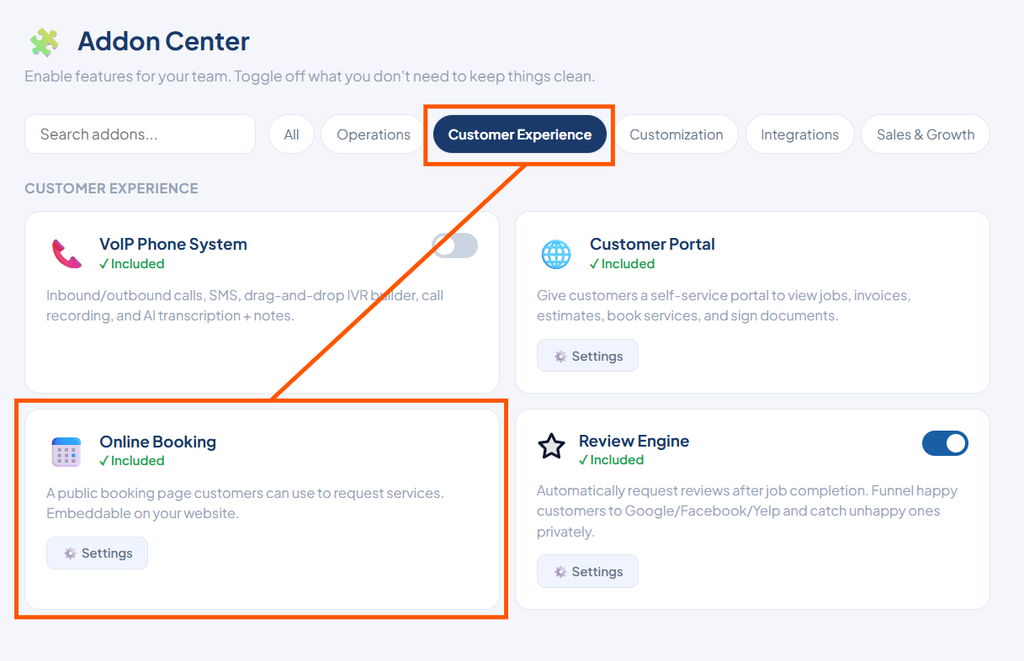
Go to your add-on center, click the Customer Experience tab, and open your Online Booking Settings.
2. Share or embed your page:
Review your unique, ready-to-use booking page link at the top of the page.
- Copy and share this link directly on your social media accounts or Google Business profile.
- Alternatively, copy the embed codes provided below the link and provide them to your web developer to integrate the booking form directly into your website. You can choose a Floating Button, an Inline Embed, or Both options. If you do not have a website, you can ignore this widget section entirely.
3. Customize form settings:
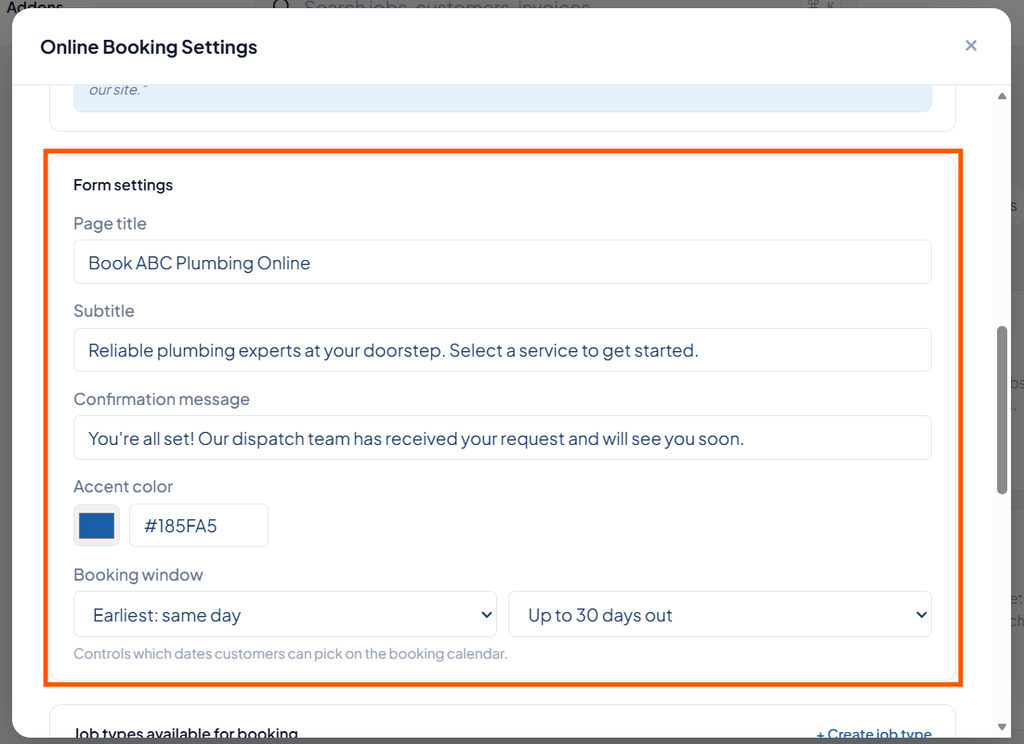
Scroll down to the Form Settings to tailor the customer-facing experience.
- Customize your page title.
- Add a descriptive subtitle.
- Write a personalized confirmation message.
- Set your brand’s accent color.
- Determine your booking window to control the exact dates available for selection on the calendar.
4. Manage available job types:
Toggle exactly which job types are available for public booking. This allows you to keep standard services open on the public form while keeping specialized or emergency jobs hidden.
5. Configure rules and required fields:
Scroll to the very bottom to establish required fields and safety rules.
- Dictate exactly what contact details the customer must provide to complete a booking.
- Enable smart features like blocking already booked time slots to automatically prevent double booking.
Your dispatch team will receive a real-time dashboard notification as soon as a new booking arrives, allowing them to easily review and confirm the incoming request.