In this article, you will learn how to review employee time sheets, verify audit trails, and inspect final financial payroll reports.
Centralizing time sheets and payroll data helps management audit logged hours and verify total financial payouts with complete confidence.
Managing and Auditing Time Sheets
In order to review logged technician hours and verify payroll calculations, you will need to access Time Sheet Reports.
1. Access Time Sheets:
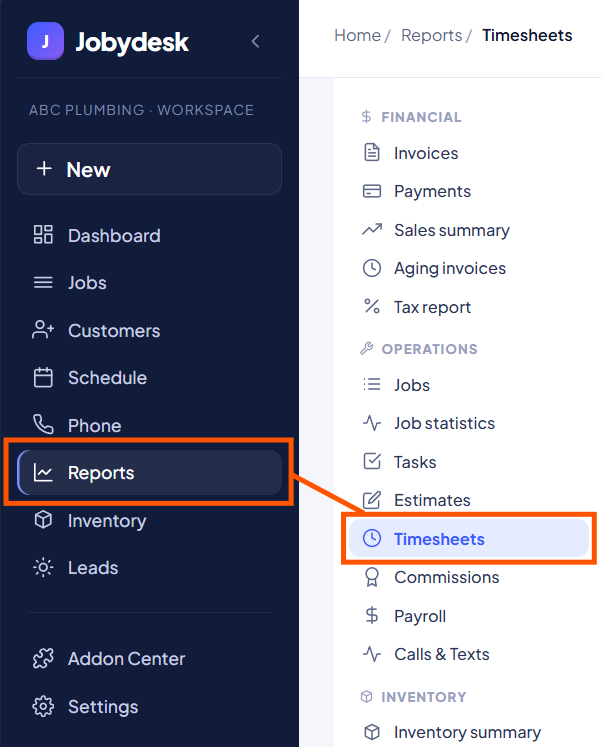
Navigate to Reports on the left sidebar and select Time Sheets.
2. Review Key Metrics:
Examine top KPI metrics for your selected date range, including total hours logged, billable job hours, and active tracking technicians.
3. Analyze Distribution:
Check the Hours Per Technician visual chart to evaluate labor time across team members.
4. Audit Punch Data:
Locate the primary payroll summary table. Click on a technician’s name to open a line-by-line audit trail showing exact clock-in/out times and earned pay per shift.
Reviewing Final Payroll Reports
In order to review total compensation breakdowns before finalizing payouts, you will need to access Payroll Reports.
1. Access Payroll:
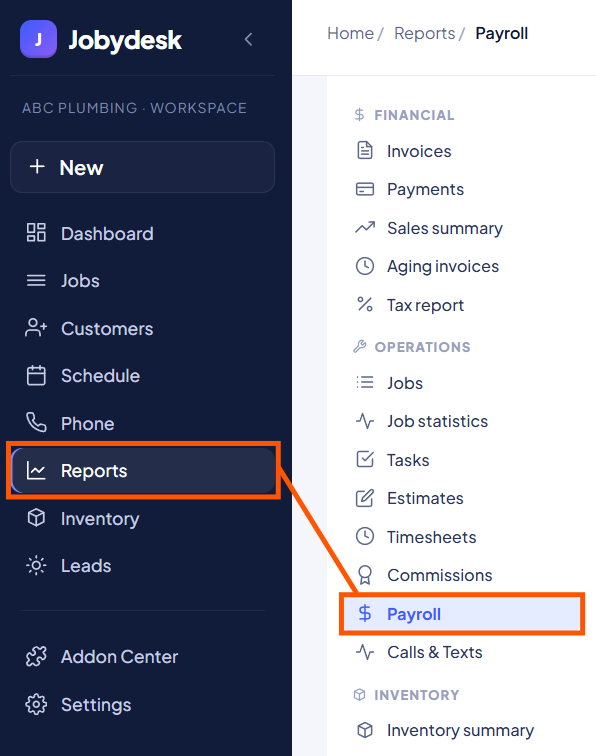
Navigate to the left sidebar and select Payroll.
2. Inspect KPI Overview Cards:
View top cards for overall financial data, including total payroll (combining standard wages and commissions), isolated wage pay, commissions, and total hours worked.
3. Verify Final Compensation:
Check the summary table to view separate breakdowns for hourly wage pay, commission earnings, and final total pay per technician.
4. Detailed Wage Drill-Down:
Click on any technician’s name to inspect a daily audit of their hours and specific wage payouts.
With your time sheet audit complete and final payroll reports verified, you can process employee checks quickly and accurately.